Building FireSpot for Fire OS meant solving more than emulator code. The full path ran from acquiring a test device and installing the APK to importing a game, sending input, producing audio and recording a useful demo. Several failures crossed boundaries between the app, Android, the emulator core, the host and the remote-device service. This log records the problems as they appeared, the workarounds used and what would make the workflow easier to debug.
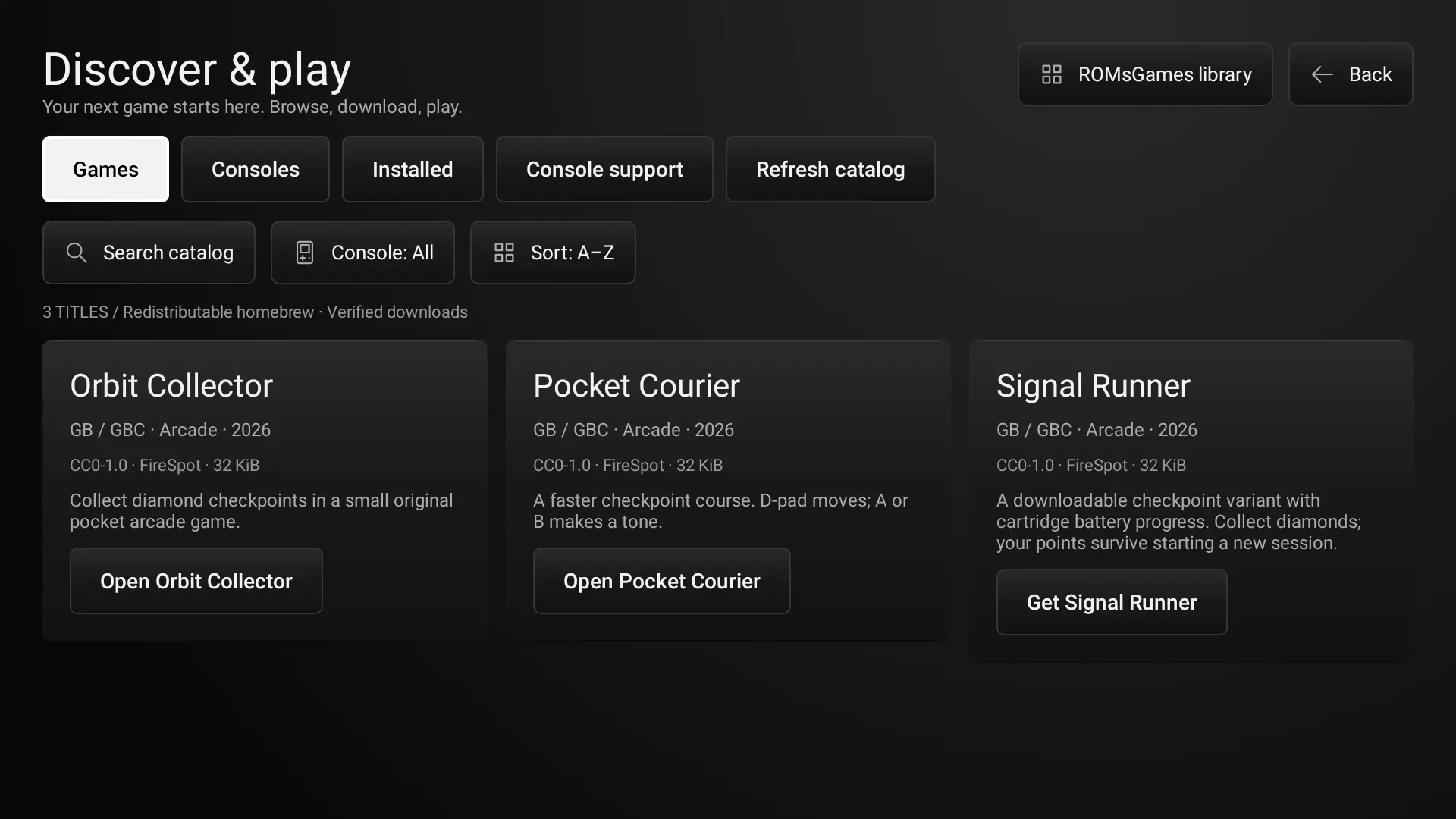
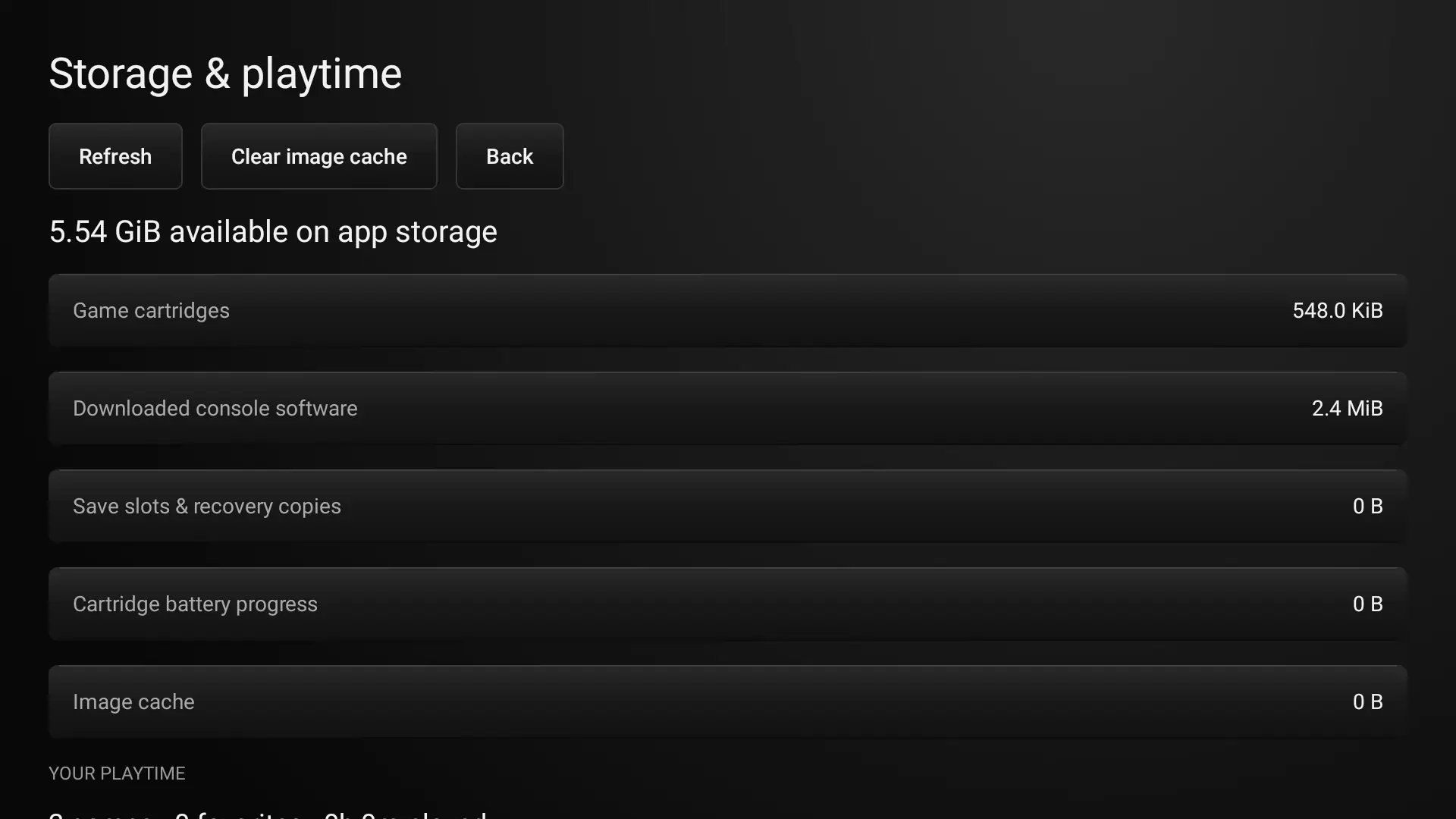
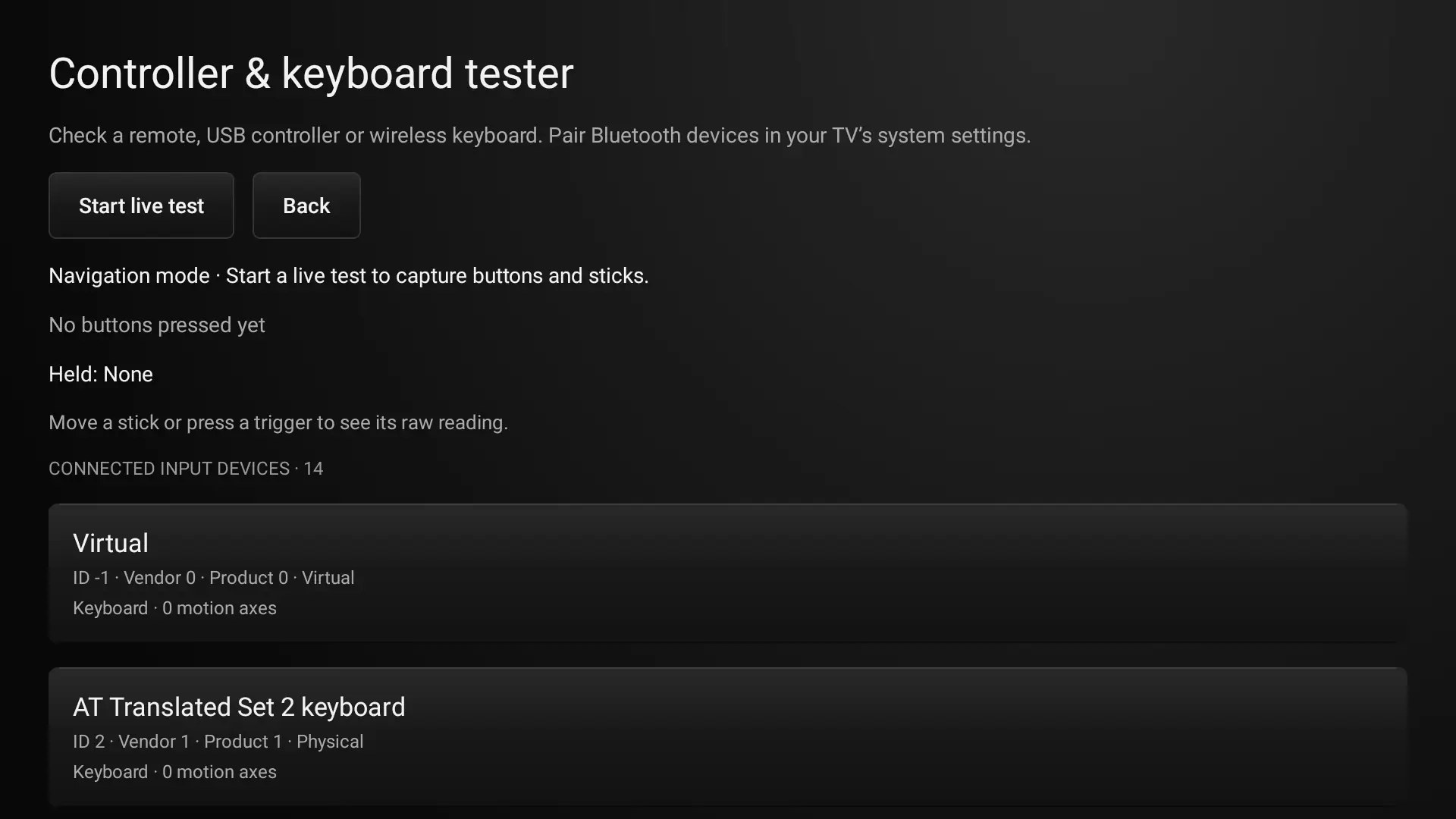
The screenshots show the library, input diagnostics, storage view and in-game pause controls. They document the app surfaces involved; they do not claim that every case was validated on physical Fire TV hardware.
1. Preparing the remote-device toolchain#
Task and steps. I prepared the development machine with the AWS CLI, AWS Session Manager plugin and Android Platform Tools. I then configured AWS credentials and opened a Live Device Interaction session for a Fire TV virtual device.
Expected. A short preflight would confirm the required executable versions, AWS identity and region, session state, and whether ADB could reach the selected device.
Observed. The requirements were split across separate AWS setup pages and the device workflow. Installing the tools and configuring credentials did not confirm that the remote session was ready or that ADB had attached. That left several independent setup states to check manually.
Severity: Medium. Workaround. I installed the tools and configured the credentials manually, then continued through the device session interface.
Actionable suggestion. Provide one preflight that checks tool versions, active AWS identity, region, session status and ADB visibility. It should report status only and never print credential values.
2. Missing ADB connection script#
Task and steps. After starting the remote session, I followed the instructions to make the generated ADB connection script executable and run it, then planned to confirm the device with adb devices.
Expected. The session page would expose the script as a download or provide a copyable command that created the same connection.
Observed. I could not find a script to download. The page showed how to launch the file, but without the artifact there was nothing to execute and ADB did not list the remote device. This blocked installation and remote-control testing.
Severity: High. Workaround. I switched to Waydroid and installed the APK locally. That allowed Android testing to continue, but it did not reproduce Fire OS or the virtual device's exact input and audio stack.
Actionable suggestion. Put the generated script beside the session status. Show its target serial and expose AWS session, Session Manager, script generation and ADB attachment as distinct states so the failing step is visible.
3. No physical Fire TV for the development loop#
Task and steps. I needed to check a television-oriented interface, remote navigation and emulator behavior. I did not have a physical Fire TV, and the remote virtual-device path was blocked by the missing script.
Expected. A Fire TV device or a working virtual device would let me validate focus movement, remote key events, display sizing and runtime behavior on the target platform.
Observed. Waydroid was the available fallback. It is useful for exercising Android flows, but it cannot establish how Fire OS hardware handles remotes, rendering, audio routing or long-running gameplay. That distinction made it difficult to treat local success as target-device evidence.
Severity: High. Workaround. I continued the development loop in Waydroid and kept the target-device limitation explicit in the test process.
Actionable suggestion. Make the runtime and device model part of every test record. Keep Waydroid results separate from Fire OS virtual-device or physical-device results, and make the remote-device access path reproducible before a release test begins.
4. Importing ROM files from shared storage#
Task and steps. I copied game files into Waydroid's shared directory, opened FireSpot's import flow and selected files. The first attempt returned a message that no item had been imported. After changing how the files were placed and selected, the import worked and I proceeded with the rest of the local collection.
Expected. Selecting a supported file would show which file was chosen, whether access was granted and whether it was added to the library.
Observed. The initial “no item imported” result did not indicate whether the picker returned no URI, Android denied access, or FireSpot rejected the selected file. The message collapsed several possible failures into one outcome.
Severity: High. Workaround. I copied the files into the shared directory and retried the import from there; the import then succeeded.
Actionable suggestion. Show the selected filename, detected console, granted URI access and import result as separate steps. Distinguish an empty picker result from an unsupported file, denied access or failed copy, and provide a retry action.
5. Testing controller, keyboard and Back behavior#
Task and steps. I navigated the interface with connected input while a game was running, tested the controller and keyboard flow, and tried to leave gameplay with Escape and the remote's Back action.
Expected. Focus would move consistently, game keys would reach the active core, and Escape or Back would always provide a way out of gameplay.
Observed. At different points, input stopped responding and Escape did not exit. Testing had to pause while I took manual control of the app. A control that works in Android navigation is not automatically mapped to the expected in-game action, and a key consumed by the emulator surface may never reach the app-level navigation handler.
Severity: High. Workaround. I recovered the interface and resumed manual control. The controller and keyboard tester made connected devices visible, but seeing a device was not enough to prove that each key was mapped correctly in gameplay.
Actionable suggestion. Keep a reliable Activity-level Back path, show which surface currently owns input, and add a live event trace with device, key code, mapped action and event-consumption result. Test keyboard, remote and gamepad mappings separately.
6. Game audio missing in Waydroid#
Task and steps. I launched games in Waydroid and listened for emulator output through the host audio route when game sound did not come through.
Expected. Audio samples produced by a core would pass through Android's audio output and Waydroid into the selected host sink.
Observed. Game audio was absent in the Waydroid test. The host had active audio devices and PipeWire streams, but that did not identify whether the failure was inside the core, Android audio routing, Waydroid or the host output. The cause was not isolated during that test.
Severity: High. Workaround. I continued interface and input checks while keeping the audio path as a separate test item instead of counting silent playback as a passing audio result.
Actionable suggestion. Add an audio self-test and expose the core sample rate, channel count, callback activity and Android output state. A short known tone would separate “the core produced no samples” from “samples were produced but not routed.”
7. Host PipeWire crackling complicated audio checks#
Task and steps. During audio testing, I reported crackling in PipeWire while the default output was Bluetooth headphones. I checked the PipeWire, PipeWire Pulse and WirePlumber services, the active audio graph and recent logs.
Expected. The same game playback would sound clean through the selected host output, making it possible to judge emulator audio directly.
Observed. The services were active, but diagnostics included Bluetooth packet and transport warnings, OBS capture underruns, and nonzero error counts on several graph nodes, including Waydroid. Those signals did not isolate whether the crackling came from the Bluetooth link, host scheduling, capture load or an application stream. No PipeWire configuration or service changes were made as part of the FireSpot work, so there was no evidence that a project change had modified the host audio setup.
Severity: Medium. Workaround. The cause was not isolated during the session. I kept the Waydroid game-audio issue separate from the host-output crackling rather than treating either as a confirmed emulator defect.
Actionable suggestion. Repeat the same audio on the built-in speakers, then compare with Waydroid and OBS closed. Capture PipeWire graph errors alongside core sample activity and Android output state; this separates Bluetooth transport faults from host scheduling and missing emulator samples.
7. PS1 core required focused troubleshooting#
Task and steps. When PS1 gameplay did not behave as expected, I paused broader console testing and focused on the PS1 emulator first. I then continued with local game files and separate core-level checks.
Expected. A supported PS1 title would initialize the core, render a playable frame and accept the mapped controls without requiring changes to unrelated console paths.
Observed. The PS1 problem could not be diagnosed by looking only at the library entry or a successful core launch. Disc-based games, required system files, core configuration, input and video initialization all form part of the path, so each needed to be checked independently. A short run or a test fixture was not a substitute for playing a real title.
Severity: High. Workaround. I isolated PS1 testing before returning to the broader console matrix and used local game files for the playback checks.
Actionable suggestion. On launch, report the selected core and version, content type, required firmware status, initialization errors, frame updates and input events. Keep the exact game and test duration in the console results so another run can reproduce the issue.
8. Crash during an interactive session#
Task and steps. I opened FireSpot in a non-headless Android session and navigated the app before continuing hands-on testing.
Expected. The process would remain open through installation, launch and ordinary navigation.
Observed. The app crashed once. After reopening it, the app worked and manual testing continued. The crash report was not enough to attribute the trigger to a screen transition, emulator initialization or the runtime environment.
Severity: High. Workaround. I relaunched FireSpot and resumed the session.
Actionable suggestion. Capture logcat and the crash stack around the event, preserve the last screen and core initialization phase, and test cold start separately from resume after process death.
9. Console testing needed clearer evidence boundaries#
Task and steps. I ran local game files through emulator cores, checked visible frame changes and controls, and examined audio output. Some short presses did not visibly change the captured frame, and fixture results differed from results using game files.
Expected. Each supported-console claim would correspond to a repeatable play session on the intended runtime, with input, frame and audio behavior recorded together.
Observed. A core booting or rendering one frame did not establish playable behavior for every title. A host-side or Waydroid run also did not establish Fire OS device behavior. These differences made it easy to overstate what a passing smoke check proved.
Severity: Medium. Workaround. I kept fixture diagnostics separate from game-file runs and treated Waydroid observations as Android-runtime evidence only.
Actionable suggestion. Use a per-console matrix containing device/runtime, core version, game hash, frames run, input events, save/reset result and audio sample activity. Mark fixture tests and actual gameplay sessions as separate test types.
10. The first walkthrough did not show the actual experience#
Task and steps. I asked for a three-to-five-minute FireSpot demo with a short interface tour followed by playable gameplay, audible game sound and captions.
Expected. A live recording would show the interface briefly, then real gameplay from several emulators, with sound and captions throughout.
Observed. The first output felt like a slideshow of screenshots rather than a walkthrough. The interface segment also moved too slowly, and the requested gameplay, audio and captions were central requirements rather than optional polish.
Severity: Medium. Workaround. I corrected the brief to prioritize live gameplay, shorten the UI section and keep recording until the console tests were complete.
Actionable suggestion. Define the recording checklist before capture: live UI navigation, a short transition, several playable titles, audible output, captions and a verified three-to-five-minute duration. Review the full rendered video instead of inferring quality from still frames.
What these failures had in common#
The hardest problems were the ones with no clear boundary between layers. A missing ADB artifact looked like a device problem; an empty import result did not say whether the picker or file access failed; silent playback did not say whether the core produced samples; and a visible controller did not prove its key events reached the game. Better diagnostics should report each transition in the pipeline, and every test result should identify the runtime on which it was observed.
Questions or something to add? Join the discussion with your GitHub account.